Table of Contents
Calm Partner API Integration
Partners can integrate with the Calm Partner API (hereinafter “Calm API”) to provision their users with a Calm subscription.
Each unique user in a partner’s system (a “partner user”) is able to activate a single Calm subscription. Once activated, users will have access to the Calm app without additional onboarding steps.
Calm’s B2B Engineering Team will support engineering efforts during onboarding, testing and push to production.
How does the integration work?
Partners are provided with credentials (client_secret, client_id) to authenticate and acquire an access token (JWT) via the Calm API. This token is used in subsequent calls to provision new accounts and revoke account access.
To create a new user account, the Calm API requires a GUID (partner_user_id). The Calm API will respond by redirecting the user to Calm’s website where they are prompted to login to an existing Calm account or create a new Calm account with the email and password of their choice.
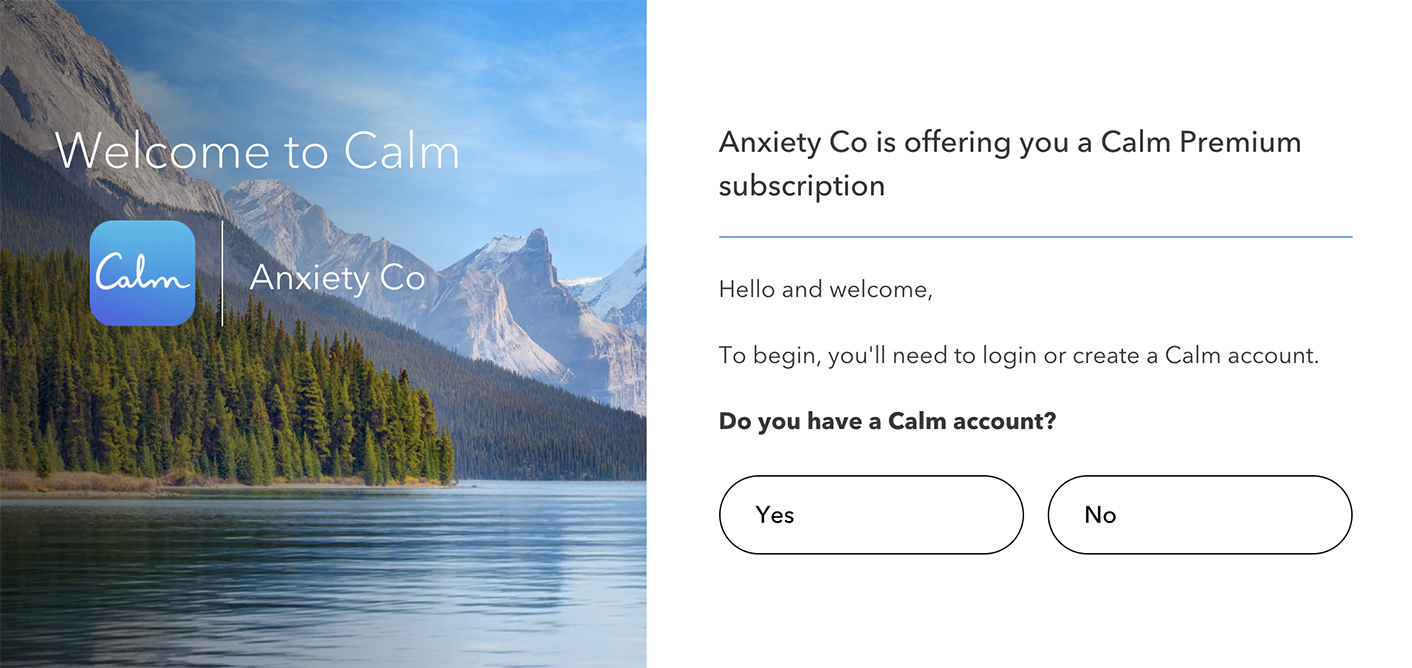
If the user has an existing Calm account, they’re prompted to wait until their current subscription ends OR create a new Calm account with a different email address.
After login or signup, the user will have activated their Calm subscription and have access to Calm through our Mobile Apps or at Calm.com.
Calm Partner Api
API integration is a 2 step API process:
- Authenticate partner service with Calm’s auth service
- Request to link a partner user to a Calm user account
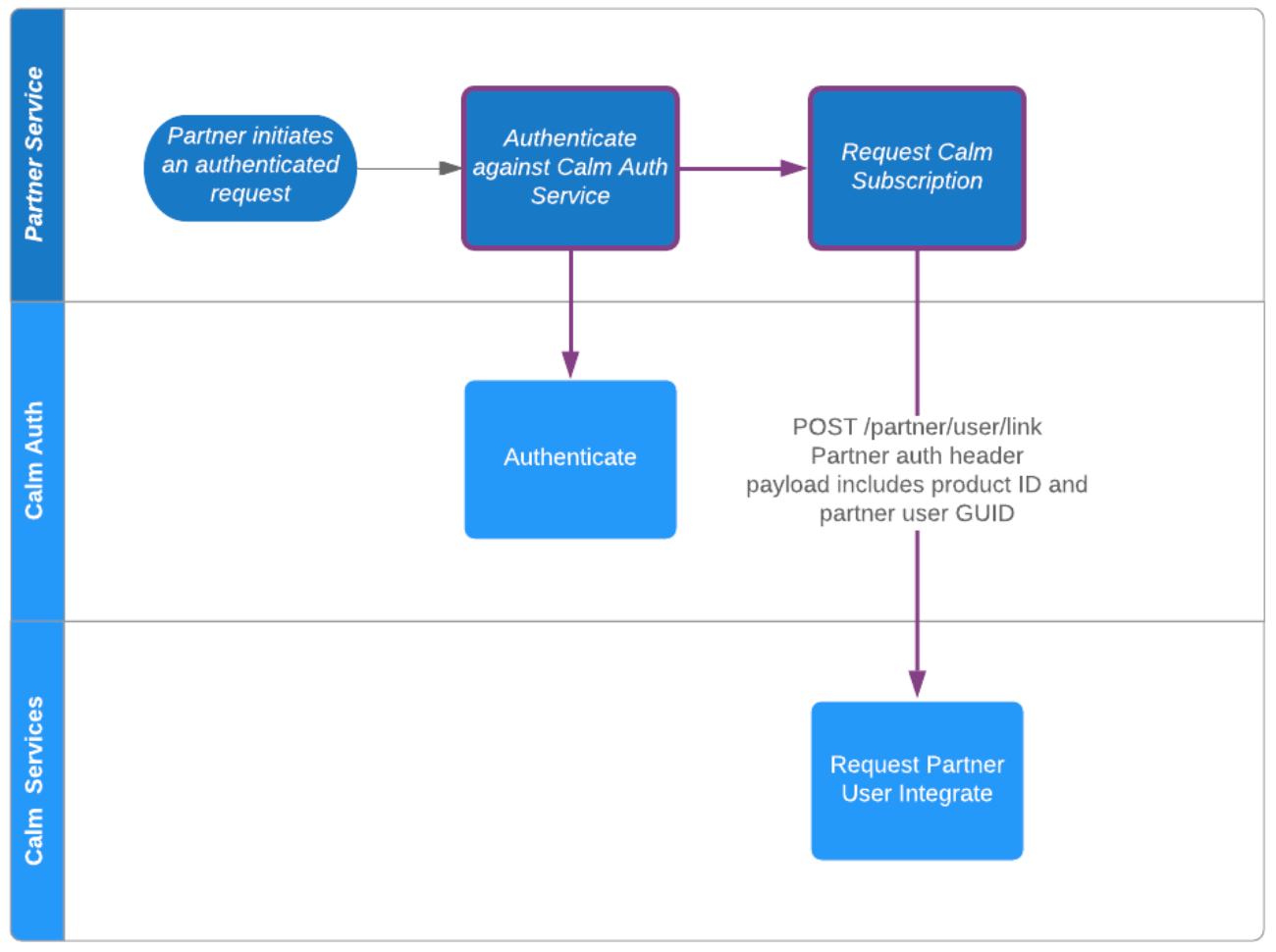
To integrate with the Calm API in a secure manner, the partner service needs to authenticate and acquire an access_token (JWT) via Calm’s Auth service. Calm’s B2B Engineering Team will provision partners with credentials (client_secret, client_id) for development and production.
{
{
403 Invalid scope
With the access_token from the authentication step, the service can make a request to the Calm subscription service
Authorization: Bearer {access_token}
{
HEADER
Location:
401 Unauthorized
The Location in the response depends on the partner user state:
- If the partner user doesn’t have a Calm subscription, the Calm API will redirect the user to
https://www.calm.com/b2b/{partner_id}/subscribe. The subscribe page will guide the user through a Calm account or login flow, and activate a subscription to Calm for the user. The following query parameters are in the redirect URL - calm-link-token
- support_url (your custom error_url, if provided)
- If the partner user already has an active Calm subscription, the user will be redirected to
https://www.calm.com/b2b/{partner_id}/accesswhich is a Calm landing page with the user logged in. The user is shown a deep link to the Calm app on mobile or desktop. The following query parameters are in the redirect URL: - calm-link-token
- user-id (calm user-id)
- support-url (your custom error_url, if provided)
- If the partner user subscription has expired, and cannot be renewed, the user is redirected to
https://www.calm.com/b2b/{partner_id}/expired. Depending on the partnership with Calm, this page may show the next step for users to purchase a discounted subscription. support-url (your custom error_url, if provided)
Authorization: Bearer {access_token}
{
{
Cancel a partner user subscription using the partner_user_id. When the API is called, the user’s subscription will not auto renew if auto renew is turned on. The subscription will end on the last day of the current renewable period. If there is no renewal, making this call would cause no changes.
Authorization: Bearer {access_token}
{
Calm Partner APIs are available in two separate environments:
| ENV | Description | Calm Partner API domain |
|---|---|---|
| DEVELOPMENT | For development, integration testing | https://auth-ga.aws-dev.useast1.calm.com |
| PRODUCTION | Live production system | https://auth.calm.com |